
1 · Create a board
Group your tasks into boards and lists. Each board is yours to organize how you like.
- Multiple boards for work, home, projects
- Color-coded lists inside each board
- Works offline on your device, too
 Smart Todo
Organize. Collaborate. Get things done. Smart Todo keeps your team on the same board in real time, and its reminders fire as alarm-style notifications — even when the app is closed — so nothing slips through.
Sign in with Google. Free to use. No ads, no trackers.
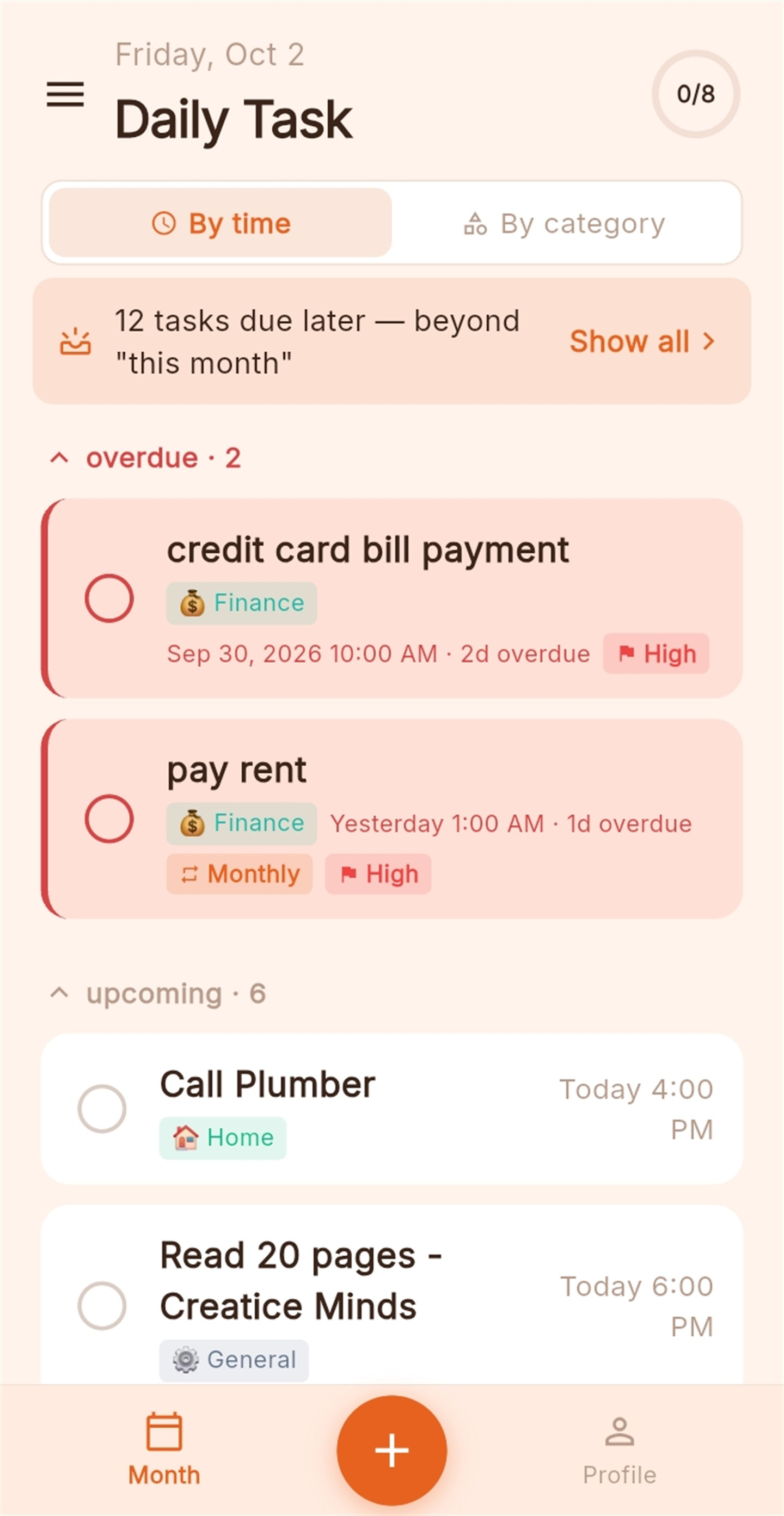
From a quick personal checklist to a board your whole household or team works from.
Invite people by email. Tasks, edits and completions sync instantly across everyone on the board.
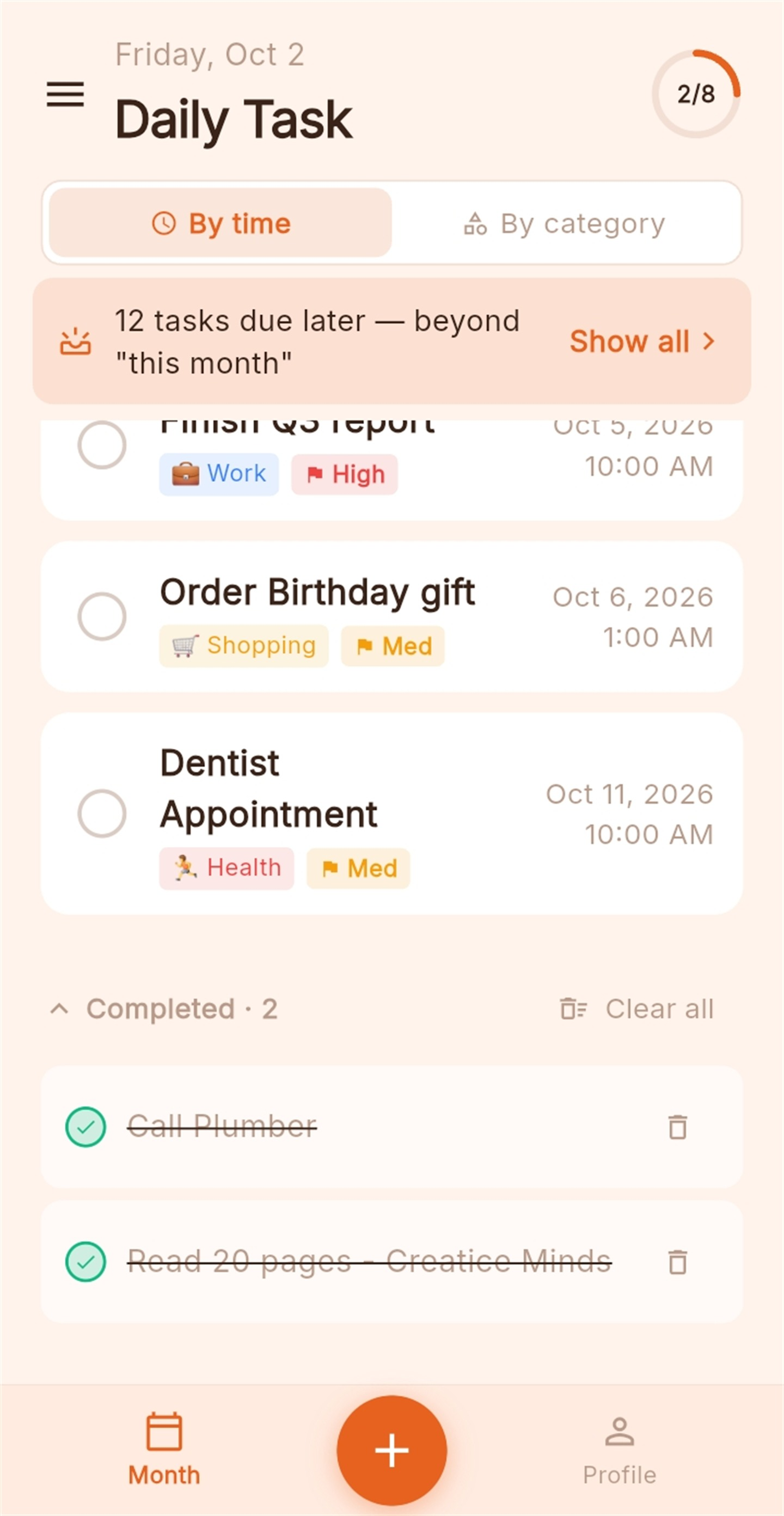
Repeat a task daily, weekly, monthly or yearly — like watering the plants, paying rent or renewing a licence — with an end date (defaults to a year, change it anytime). Each occurrence shows as its own dated entry: past ones sit in overdue, the next one is upcoming, and finished ones stay in your completed list. Tick one off by mistake? Undo it in a tap.
Decide per person who can add, edit, or mark tasks done. You stay in control as the board owner.
Set an exact reminder and Smart Todo alerts you at the right time — an alarm-style notification with sound that fires even when the app is fully closed, and a "Mark done" button right on it. Grant alarm and battery permissions once for the most reliable delivery.
Assign a task to one person and only they get the reminder. Leave it unassigned and everyone on the board is reminded — so shared work never slips.
Set a task for a teammate in another country and Smart Todo alerts them at their local time — pick 9:00 AM and it means 9 AM where they are, automatically. No mental math.
Turn on auto-delete and finished tasks clear themselves 30 days after you complete them — each shows a countdown so you always know when. Or clear them yourself anytime. Only completed tasks are ever removed; anything still active stays put.
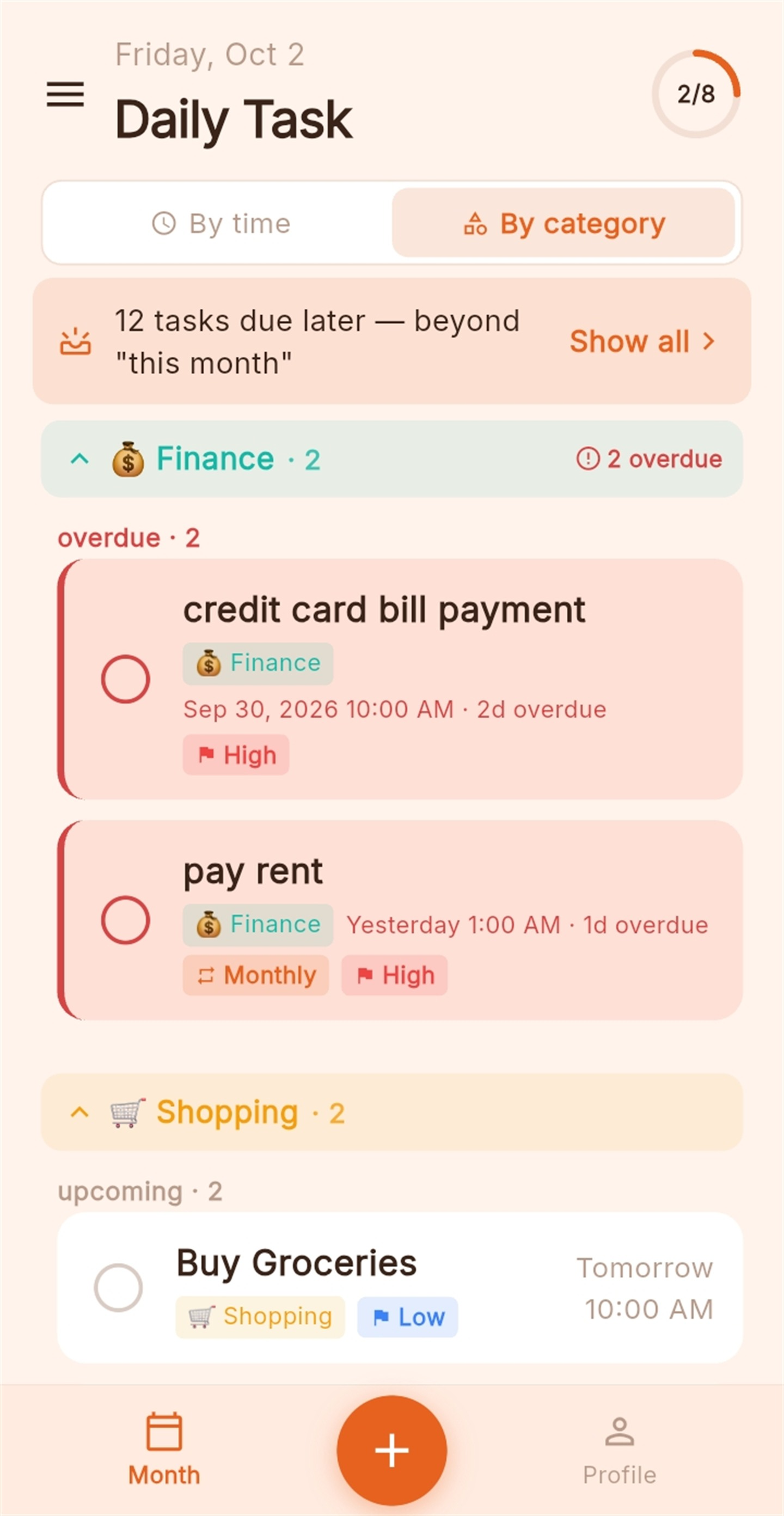
Tasks are auto-labeled — Shopping, Work, Home, Health, Finance and more — from what you type. Not quite right? Move a task to any category yourself. Then switch the list to By category to see everything grouped, with overdue, current and upcoming inside each group.
Mark a task High, Medium or Low. Priority shows as a colored flag and bumps more important tasks up the list when they're due at the same time.
Choose from six carefully tuned themes — Dark, Dusty Blue, Midnight Ocean, Forest, Sunset and Rose Gold. Switch anytime from your profile; your choice sticks across restarts and every screen adapts instantly.
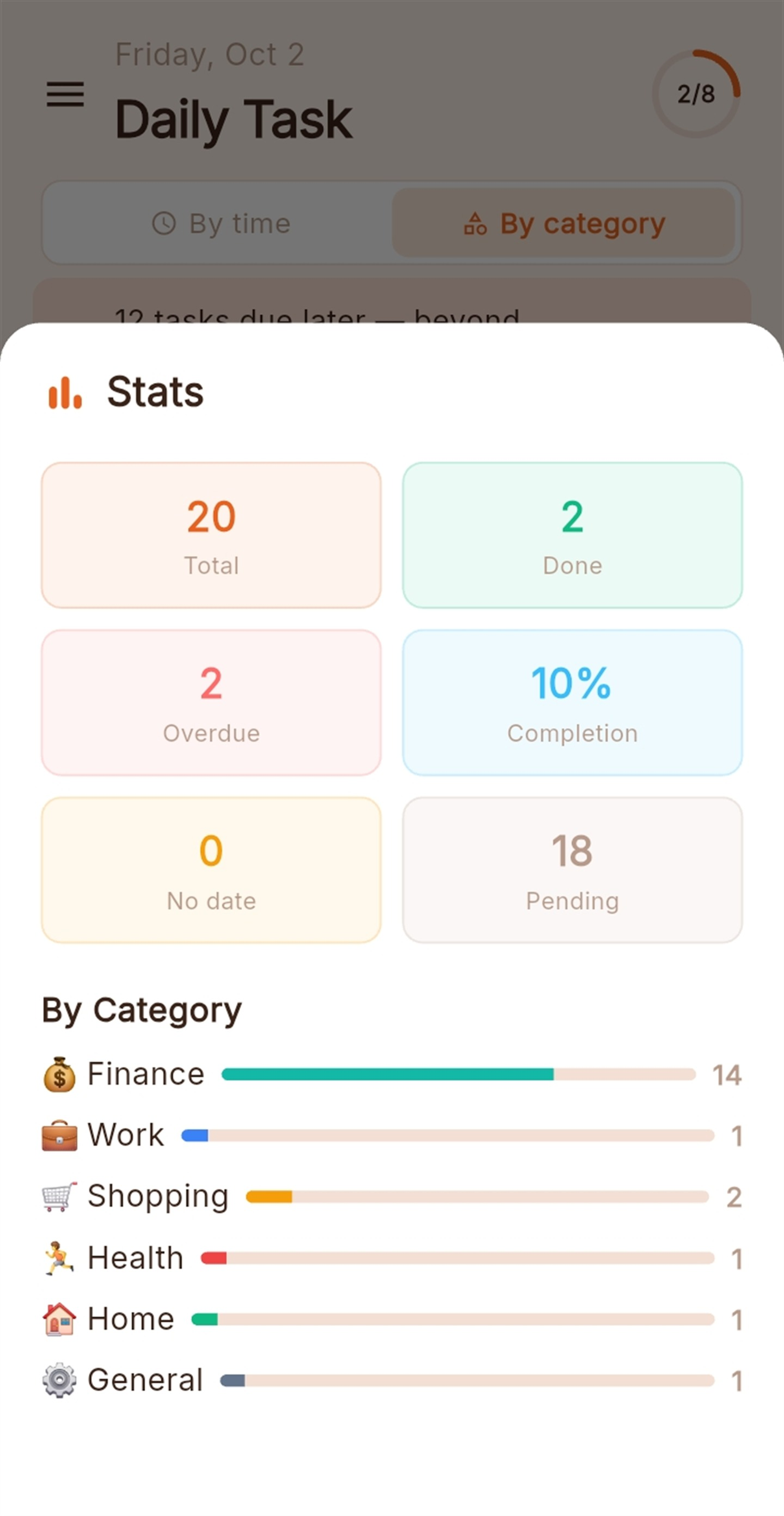
Tap the progress ring at the top to open your stats — totals, completion rate, overdue counts and a breakdown by category.
Set due dates and view your list by Today, This week, This month or This year. Overdue items surface first.
Open the side panel to switch boards, invite people, or manage sharing. Set any board as your default — including one shared with you — and Smart Todo opens to it every time.
Loving something or hitting a snag? Tap Share feedback in your profile to email us straight from the app — we read every message.
Group your tasks into boards and lists. Each board is yours to organize how you like.
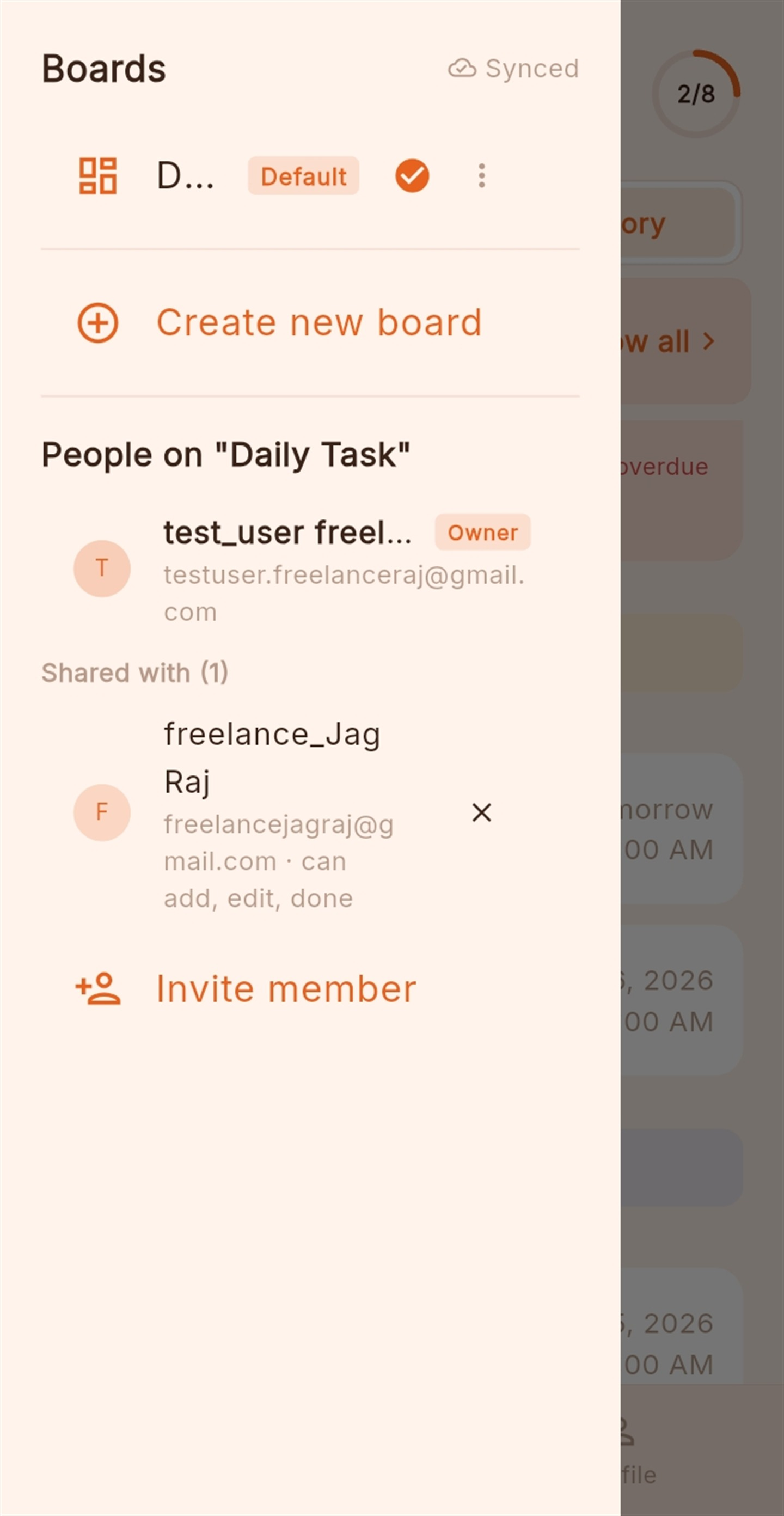
Add members by email and pick exactly what each person can do. Changes show up on their device the moment they happen.
Add a due date and a reminder. When it's time, Smart Todo fires an alarm-style notification with sound — even if the app is closed — that you can act on right away.

Type naturally and Smart Todo tags the category for you.
Six built-in themes, from deep dark to warm light. Pick one in your profile and the whole app — boards, cards, buttons and reminders — follows along.
Here's what we're building and when you can expect it. Versions are targets and may shift as we test — closed testers get everything first.
Have a request? Tell us what to build next.
Clean, focused, and quick to move through.
Your own reminders always fire on time, even when Smart Todo is closed. When you assign a task to someone else, their reminder is scheduled on their phone. Right now that scheduling happens the next time they open the app — so if their app has never been opened since you assigned the task, their reminder may not be set yet.
How to make sure an assigned reminder lands:
Tip: for time-critical shared tasks, send the assignee a quick heads-up to open the app. Automatic delivery without opening the app is on our roadmap.
Smart Todo is in closed testing on Google Play. Sign in with Google to get started — free, with no ads and no trackers.